
- Going green with information and communications technologies can be as simple as reusing a computer or smartphone.
- According to the IT and Environment Initiative, the “lifecycle energy use of a computer is dominated by production (80 percent) as opposed to operation (20 percent).”
When people resell, upgrade or offer a computer or smartphone to someone else for use, these strategies mitigate energy impacts, as well as other environmental burdens associated with manufacturing and disposal. This is especially important because the IT and Environment Initiative found that “75 percent of the fossil fuels and energy used by a computer are actually consumed during manufacturing. Extending the computer's lifespan through reuse means more return on that initial environmental cost.”
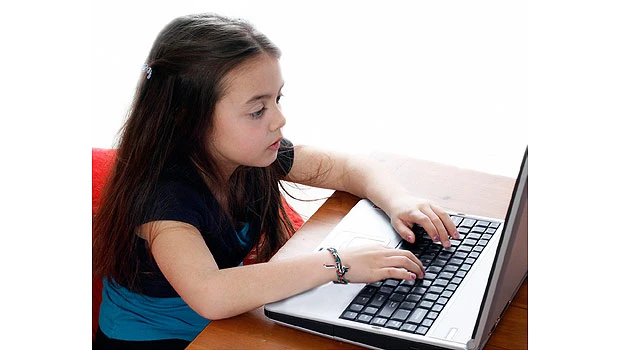
One of the easiest ways to reuse a computer or smartphone is to turn it over to your children or another relative. Any computer that's less than five years old will easily have enough computing power to handle the IT requirements of the average student through the secondary level. However, some refurbishment is required to ensure that this tech gift keeps giving without causing grief.
The first consideration is to remove all personal data from the device. How thorough to be in this regard depends on the original use of the computer or smartphone. If the device held workplace data or financial information, turn to hard disk cleaning software from sites such as www.diskwipe.org to remove all the sensitive information.
If the computer was a household machine filled with innocuous e-mail, then deleting the Internet browser's cache, cookies and history as well as e-mail contacts, messages, documents and of course the trash folder, may be enough. Most smartphones have a “reset the phone” feature that returns the device to the original factory settings. If you can't find that yourself, the manufacturer's local service center will be able to do it for you in minutes.
With the data removed, consider a few other issues. Mobile devices run on batteries and if your smartphone or computer is three years old, replace its battery before passing the equipment on. Some older laptops have very small hard drives. If the computer is to go to a teenager, a simple hard drive upgrade can add a lot of value.
Most smartphones have parental controls that turn certain features on or off. Determine how the device may be used before offering it to your child. And last, but oh, so important! Install up-to-date security software on the computer or smartphone. That will help it to be a useful tool and not a new member of the global botnet army. (MYBI)